The Complete Guide to Algonney Platform
Explore every command center, configuration tool, and automation feature. Built for traders and partners who want to master the interface.
Dashboard
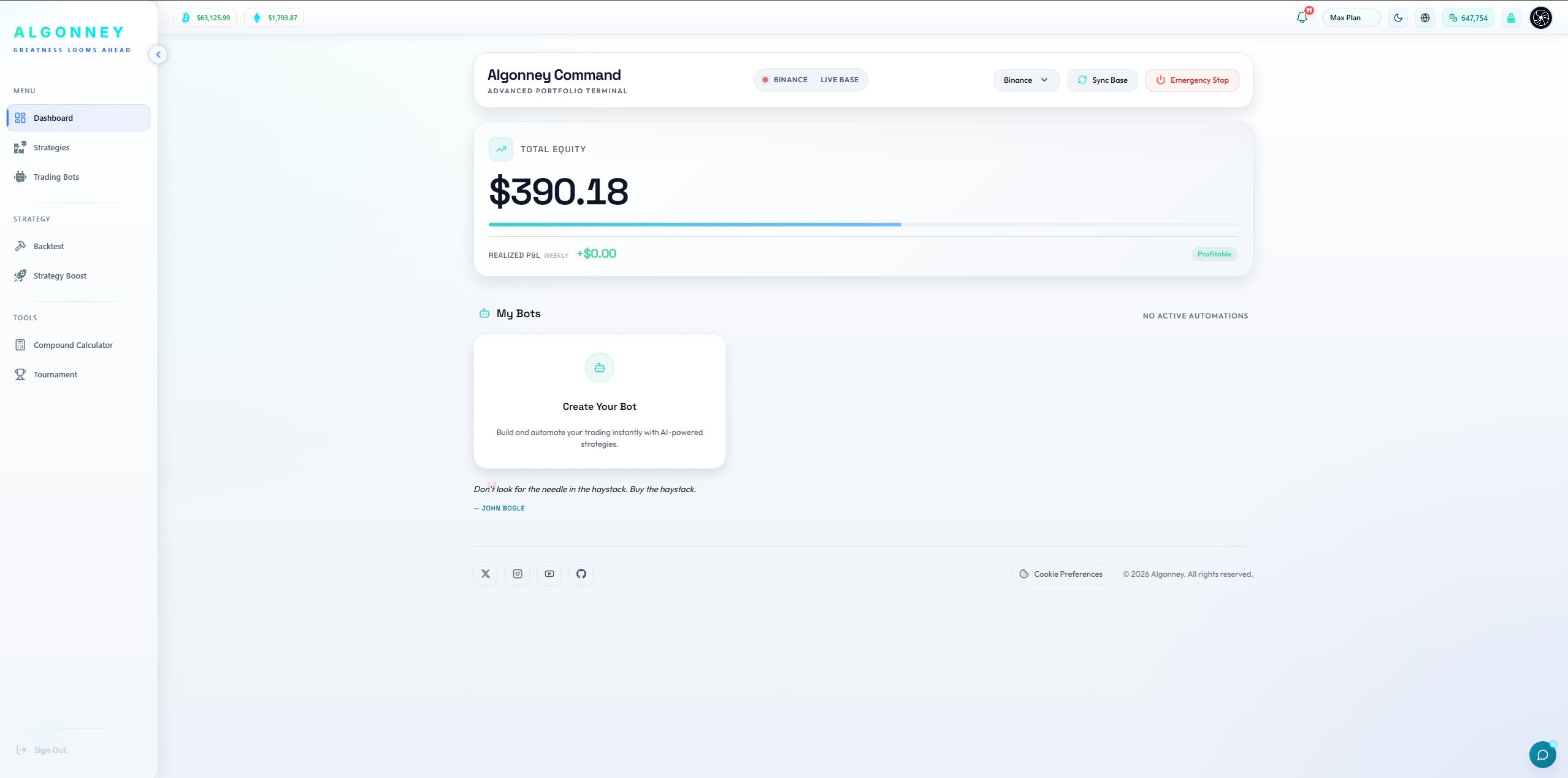
Active ModuleThe main command center of Algonney.
Module Overview
The Dashboard is the main command center of Algonney. It gives the user a quick view of account equity, realized profit and loss, selected exchange/base status, active bots, and important top-bar actions.
Key Capabilities
- Check total equity visible to the platform for the selected exchange/base.
- See realized profit and loss that has already been closed or finalized.
- Confirm the selected exchange/base and its connection status.
- Sync the base when needed to refresh the platform view with the connected exchange data.
- View active bots or see when no bots are running.
- Start creating a bot from the "Create Your Bot" area.
- Access important account controls from the top bar, including plan status, notifications, wallet/tokens, and emergency controls.
Partner Perspective
When explaining Algonney to a new user, start from the Dashboard. Tell them this is the place where they understand their account status before opening strategies, bots, backtests, wallet, or automation pages. The Dashboard is not only a visual page; it is the user's starting point for managing automation safely.
Crucial Guidelines
- Explain only what the UI and code truly support.
- Do not promise guaranteed profits.
- Do not say the dashboard predicts the market.
- Trading decisions and risk remain the user's responsibility.
Common Dashboard Questions
Strategies
Active ModuleBuild your own trading rules — no coding required.
Module Overview
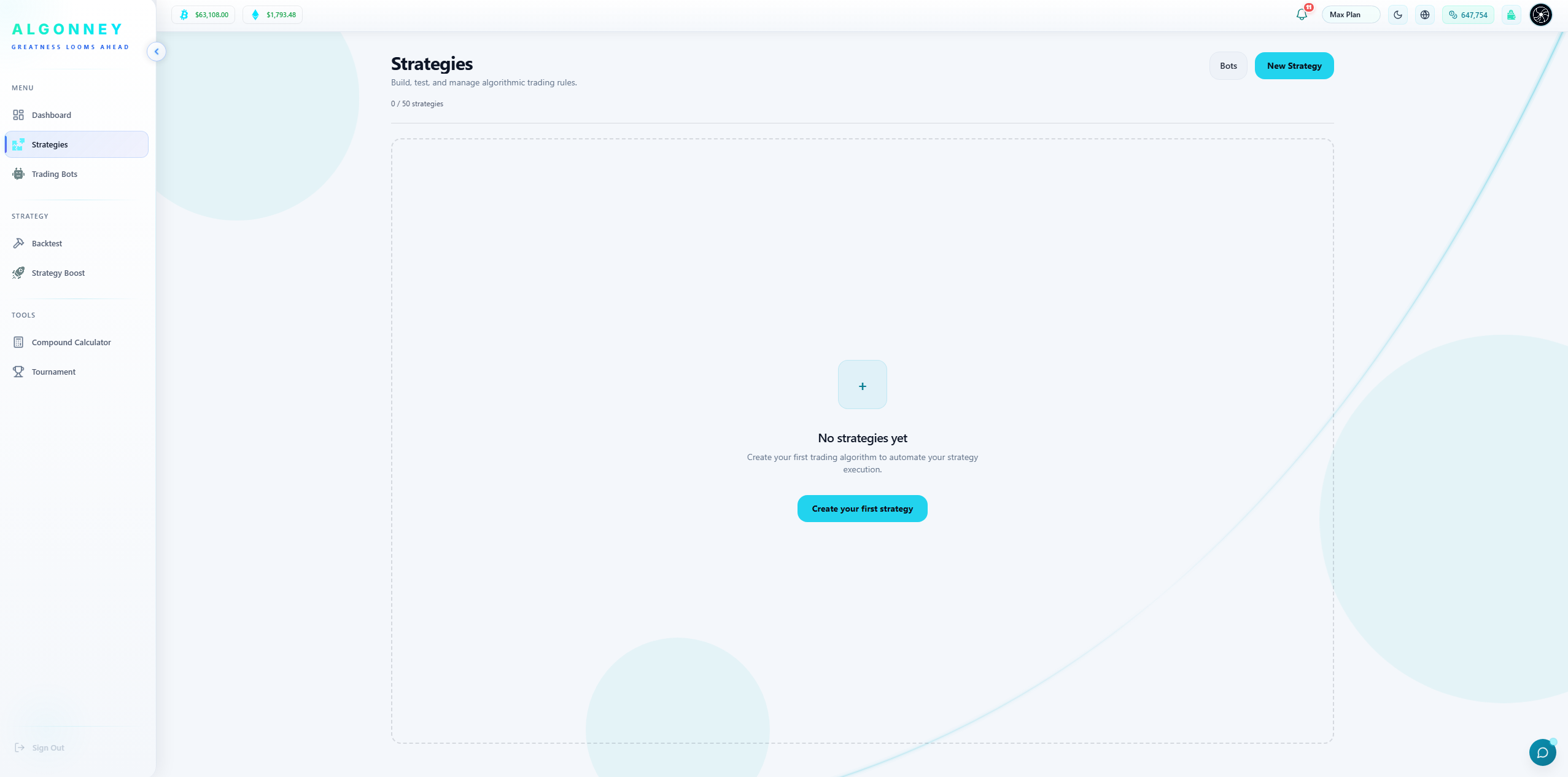
A strategy is your set of trading rules: when to enter a trade, when to exit, and how much risk to take. Algonney lets you build a strategy in a simple guided flow. You pick a direction, add your entry and exit conditions using indicators or price, and set your execution settings. Your strategy is then ready to backtest, optimize, or run with a bot.
Key Capabilities
- Create a strategy in three clear steps: choose direction, build rules, set parameters.
- Choose your trading direction: Long Only, Short Only, or Long & Short.
- Build entry and exit conditions from indicators, price sources, and operators.
- Combine multiple conditions and groups to express advanced logic.
- Name and save each strategy to reuse it across backtests and bots.
- Manage all your strategies from one page and edit them anytime.
- Build without writing a single line of code.
Partner Perspective
This is the heart of Algonney. Anyone can turn a trading idea into a working rule set without programming. It is the same builder that feeds the backtest engine, the optimizer, and the live bots — one strategy, many uses.
Crucial Guidelines
- Your trading direction cannot be changed after you save the strategy, so choose it carefully.
- Entry conditions decide when a trade opens; exit conditions and your stop loss / take profit decide when it closes.
- A clear, simple strategy is easier to test and understand than an overly complex one.
- You can create many strategies and keep them organized in the Strategies page.
Common Strategies Questions
Backtest
Active ModuleTest your strategy on real market history before risking a cent.
Module Overview
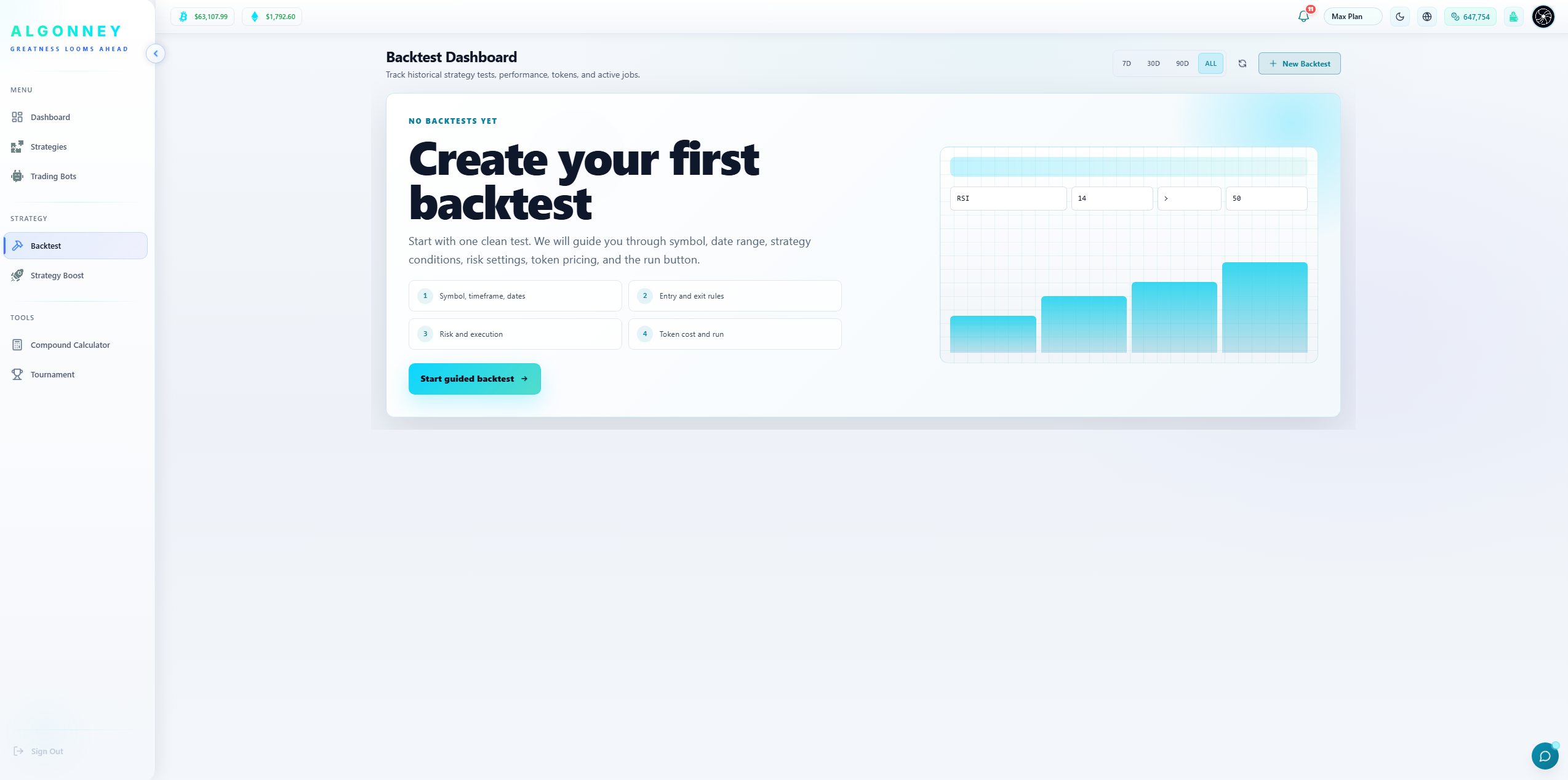
Backtesting runs your strategy against real historical price data to show how it would have performed. You set the market, the date range, and your risk settings, then run the test. Algonney shows you the results so you can judge a strategy before going live. Each backtest uses tokens, and the cost is shown before you run.
Key Capabilities
- Test any strategy against real historical market data.
- Choose your pair, timeframe, trading mode, starting capital, and date range.
- Use quick date shortcuts like Last 1Y, Last 3Y, Last 5Y, or From 2020.
- Set full risk and execution settings: risk per trade, leverage, stop loss, take profit, fees, and slippage.
- See a live risk preview and feasibility check before you run.
- See the exact token cost before running, with a clear breakdown.
- Follow your backtest jobs through Queued, Running, and History.
- Run a guided, step-by-step flow if you are new to backtesting.
Partner Perspective
Backtesting is what separates guessing from informed trading. Before anyone puts money behind a strategy, they can see how it behaved across years of real data. The transparent token cost and risk preview mean there are no surprises.
Crucial Guidelines
- Past performance does not guarantee future results — backtests are a research tool, not a promise.
- The token cost depends on your timeframe, date range, and strategy complexity, and is always shown before you run.
- The risk preview warns you when your position size is close to your leverage limit.
- Fees and slippage settings make your test more realistic — keep them close to real market conditions.
- Your backtest appears in the jobs list at the bottom; results move to History when finished.
Common Backtest Questions
Strategy Boost
Active ModuleFind the best settings for your strategy — automatically.
Module Overview
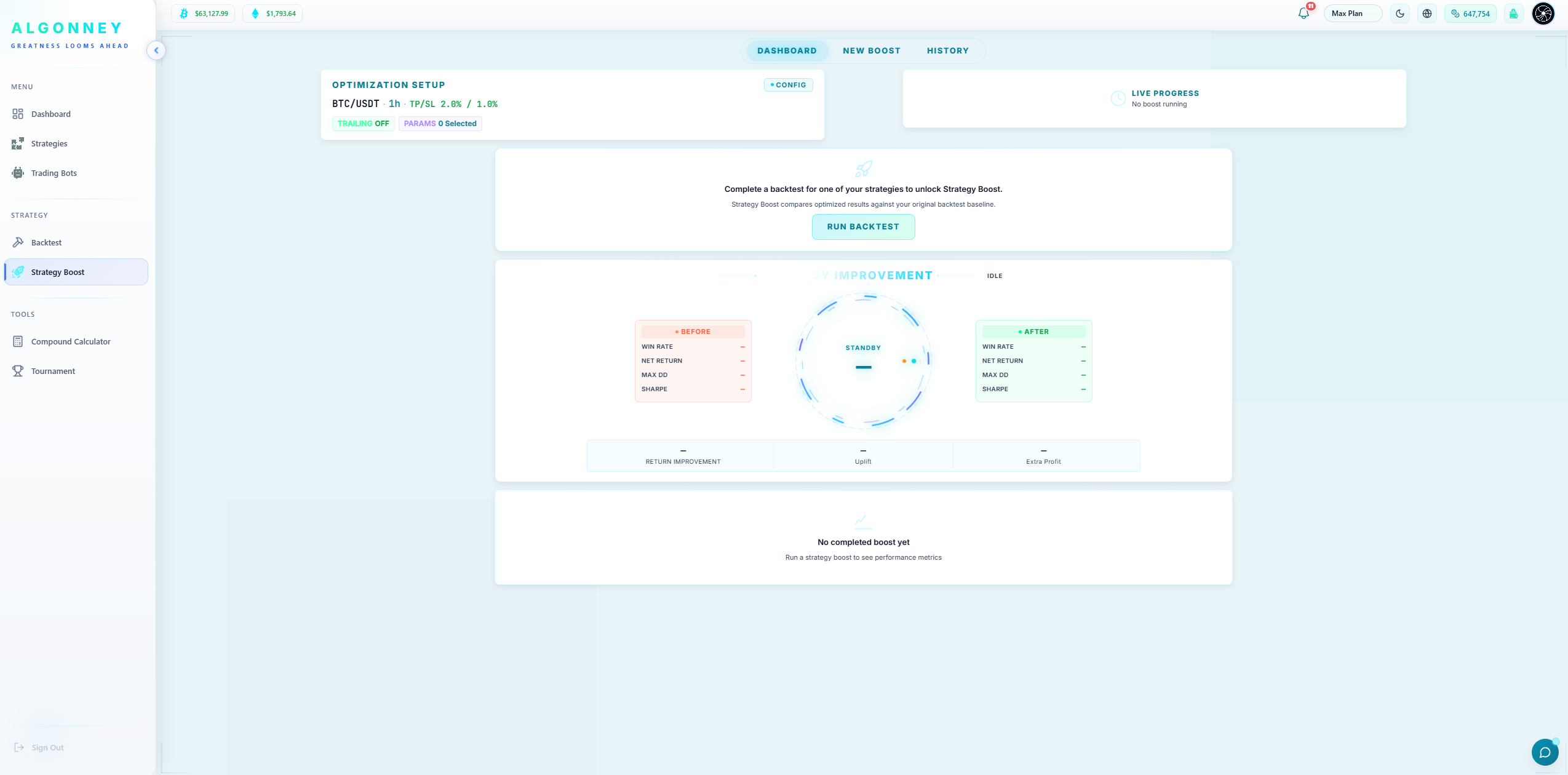
Strategy Boost takes one of your strategies and tests many versions of it to find the best-performing settings. Instead of guessing the right stop loss, take profit, or indicator value, you give Boost a set of values to try and it tests every combination for you. For example, it can try an EMA of 15, 16, 17, 18, 19 with take profits of 0.7, 0.8, 0.9, 1.0, 1.1 and stop losses of 0.4, 0.5, 0.6, 0.7 — all at once. It then shows you the combination that performed best. The values are fully your choice; nothing is fixed.
Key Capabilities
- Test many versions of a strategy at once to find the best settings.
- Sweep any parameter across your own list of values — stop loss, take profit, leverage, indicator values, and more.
- Choose exactly which values to try; the ranges are dynamic, never hardcoded.
- See how many combinations and how many tokens a run will use before you start.
- Compare the optimized result against your original strategy baseline.
- View the best parameters, win rate, and simulated profit for the winning version.
- Review every past optimization in the Boost History with full details.
- Reopen a past boost to run it again.
Partner Perspective
This is a serious edge for users. Manually testing hundreds of setting combinations would take days. Strategy Boost does it automatically and hands back the best version. It turns a rough idea into a tuned strategy, which is exactly what experienced traders want.
Crucial Guidelines
- More parameters and more values mean more combinations, which costs more tokens and takes longer.
- Results are simulated on historical data — they show what worked in the past, not a future guarantee.
- Look for winning variants with a healthy number of trades, not just a high return on very few trades.
- You choose every value that gets tested, so start small to test quickly, then expand.
- A strategy must have a completed backtest before it can be boosted.
Common Strategy Boost Questions
Trading Bots
Active ModulePut your strategy to work — live or on paper — automatically.
Module Overview
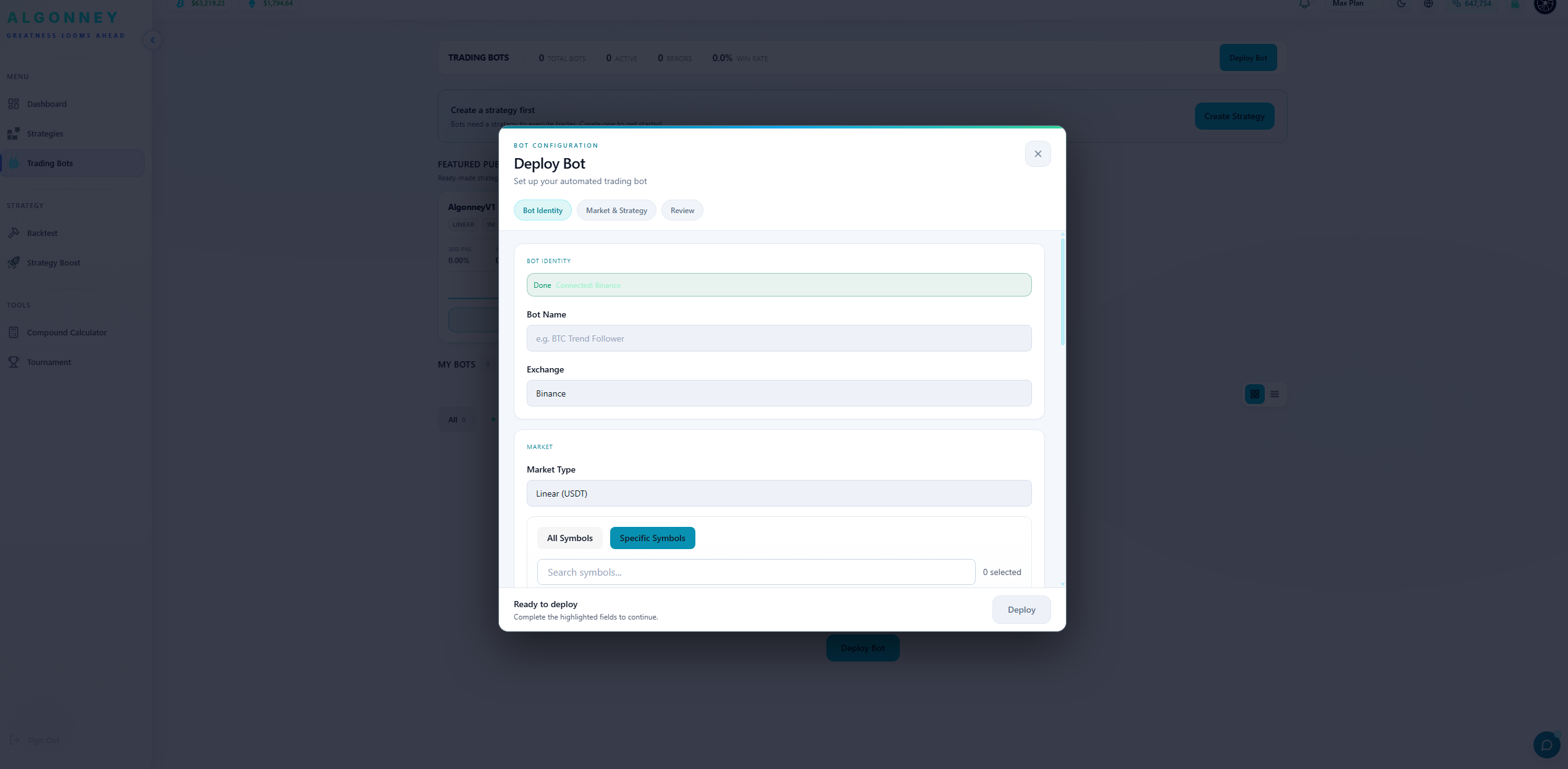
A bot runs your strategy for you, automatically, around the clock. Once you have a strategy, you deploy it as a bot on your chosen exchange and market. Bots can run in two ways: live with real money, or paper with practice money that behaves like the real market. Paper mode lets you test a strategy under real market pressure with no money at risk. Both live and paper trading are available on paid plans.
Key Capabilities
- Deploy any of your strategies as an automated trading bot.
- Run bots live with real funds, or on paper to practice with no risk.
- Choose your exchange, market type, and the symbols the bot trades.
- Configure the bot in a clear step-by-step flow: identity, market and strategy, then review.
- Start from ready-made featured public bots published by the Algonney team.
- Track total bots, active bots, errors, and win rate at the top of the page.
- Manage all your bots and filter them by Running or Stopped.
Partner Perspective
Bots are where a strategy becomes real automation. The paper option is a big trust builder — users can prove a strategy works under live market conditions before committing real money. Live and paper behave the same way; the only difference is real money versus practice money.
Crucial Guidelines
- Live and paper trading are available on paid plans only.
- Paper mode uses practice money but reacts to the real live market, so it is a true test.
- A bot needs a saved strategy before it can be deployed.
- Always review your market, symbols, and risk settings before you deploy a live bot.
- You can stop any bot at any time, or use Emergency Stop on the dashboard to stop them all.
Common Trading Bots Questions
Compound Calculator
Active ModuleEstimate how compounding can affect account growth over time.
Module Overview
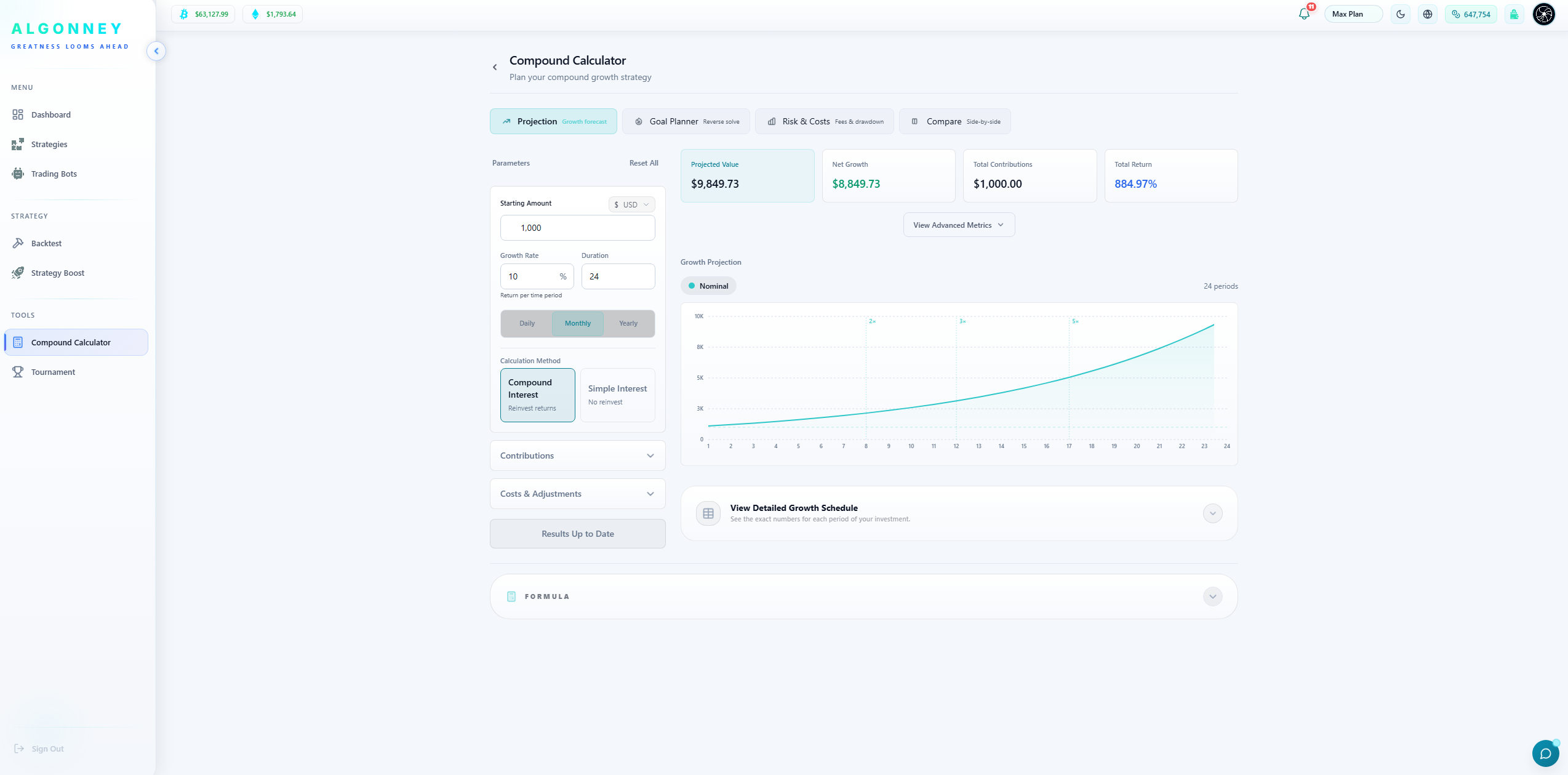
The Compound Calculator is a planning tool that helps users understand how repeated percentage growth can affect a balance over time. It is useful for visualizing scenarios, comparing possible outcomes, and understanding the power and risk of compounding. It is not a profit prediction tool. This page is for estimating compound growth scenarios, understanding how repeated gains or losses can affect balance, comparing different starting balances, percentages, and periods, and helping users think about long-term risk and growth planning.
Key Capabilities
- Estimate compound growth scenarios.
- Understand how repeated gains or losses can affect balance.
- Compare different starting balances, percentages, and periods.
- Enter a starting balance if available.
- Set a percentage return or growth assumption if available.
- Choose the number of periods or days if available.
- Review projected results.
- Use the result as an educational estimate, not a guarantee.
Partner Perspective
When explaining Algonney to a new user, describe the Compound Calculator as an educational planning tool. It helps users understand the math behind compounding, but it does not predict real trading results. Partners should use this page carefully and never present projections as guaranteed income.
Crucial Guidelines
- Do not promise profit.
- Do not say the calculator predicts results.
- Do not present example projections as guaranteed income.
- Keep the explanation educational and risk-aware.
- Keep the tone simple and partner-friendly.
Common Compound Calculator Questions
Tokens & Wallet
Active ModuleThe fuel for backtests, boosts, and platform features — and where you manage your balance.
Module Overview
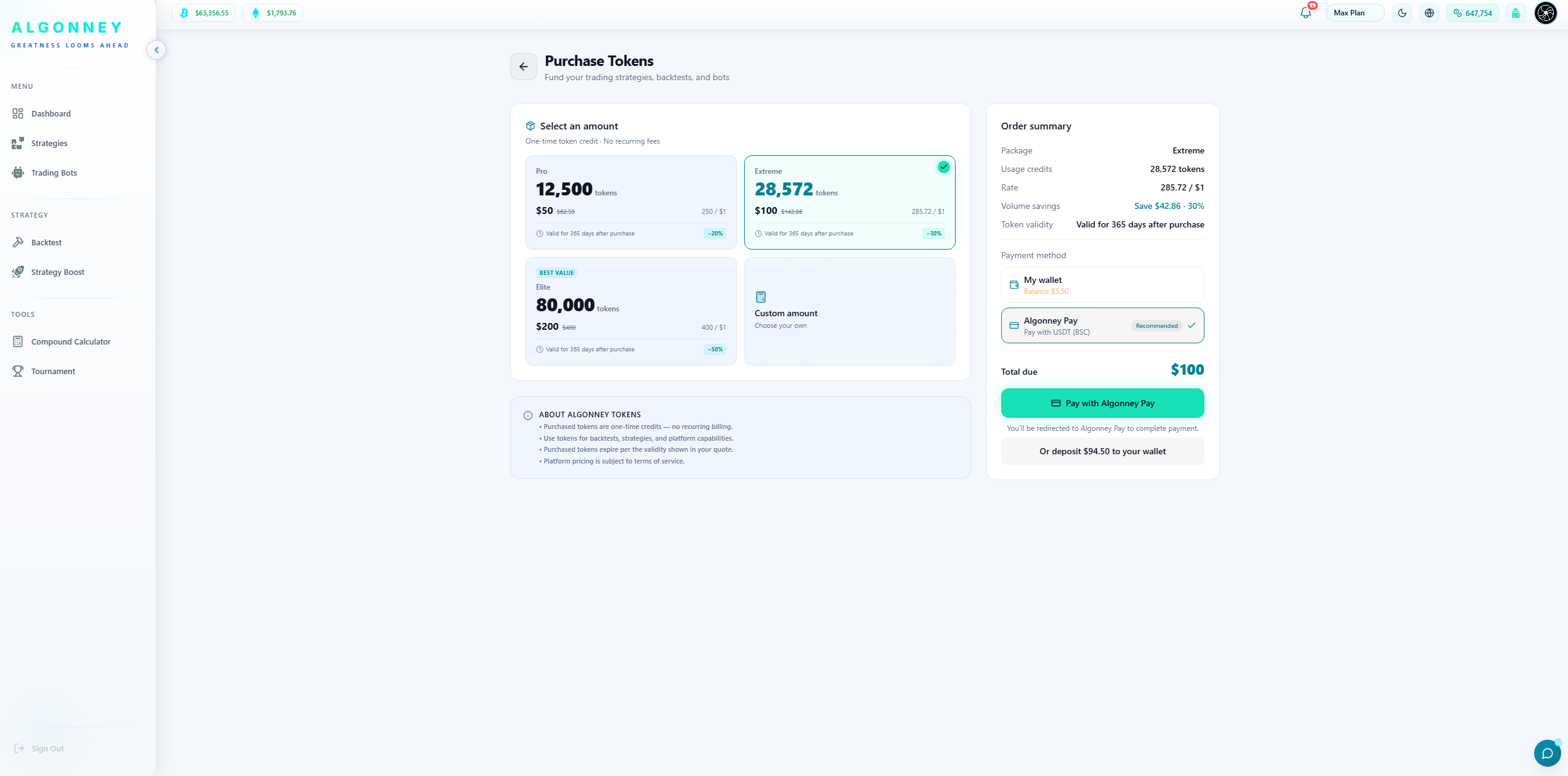
Tokens are what power the paid actions on Algonney, like backtests and Strategy Boost runs. You get tokens in two ways: they come included with your plan, and you can buy more anytime. There are two kinds — subscription tokens that come with your plan and expire at the end of the plan month, and purchased tokens that you buy and that stay valid for 365 days. Your Wallet holds your balance, shows your full token history, and lets you deposit or withdraw.
Key Capabilities
- Use tokens to run backtests, Strategy Boosts, and other platform features.
- Get tokens included with your plan, and buy more whenever you need.
- Buy token packages with clear volume discounts, or choose a custom amount.
- See your available, subscription, purchased, and locked token balances separately.
- Track every token transaction — holds, burns, purchases, and grants — in your history.
- See exactly when each token grant expires.
- Manage your wallet balance and deposit or withdraw funds.
- Pay with Algonney Pay using USDT (BSC), or from your wallet balance.
Partner Perspective
The token system keeps pricing fair and usage-based: users pay for the compute they actually use. The two-bucket design is transparent — plan tokens refresh monthly, purchased tokens last a full year — and the wallet gives users full visibility and control.
Crucial Guidelines
- Subscription tokens come with your plan and expire at the end of the plan month.
- Purchased tokens stay valid for 365 days from the date you buy them.
- Bigger token packages come with larger discounts.
- Locked tokens are amounts temporarily held while an action runs; they are released or used when it completes.
- Token history shows every hold, burn, and grant so you can always see where your tokens went.
- Payments are made in crypto (USDT on BSC) through Algonney Pay or your wallet balance.
Common Tokens & Wallet Questions
Plans
Active ModuleChoose the plan that matches how much you trade.
Module Overview
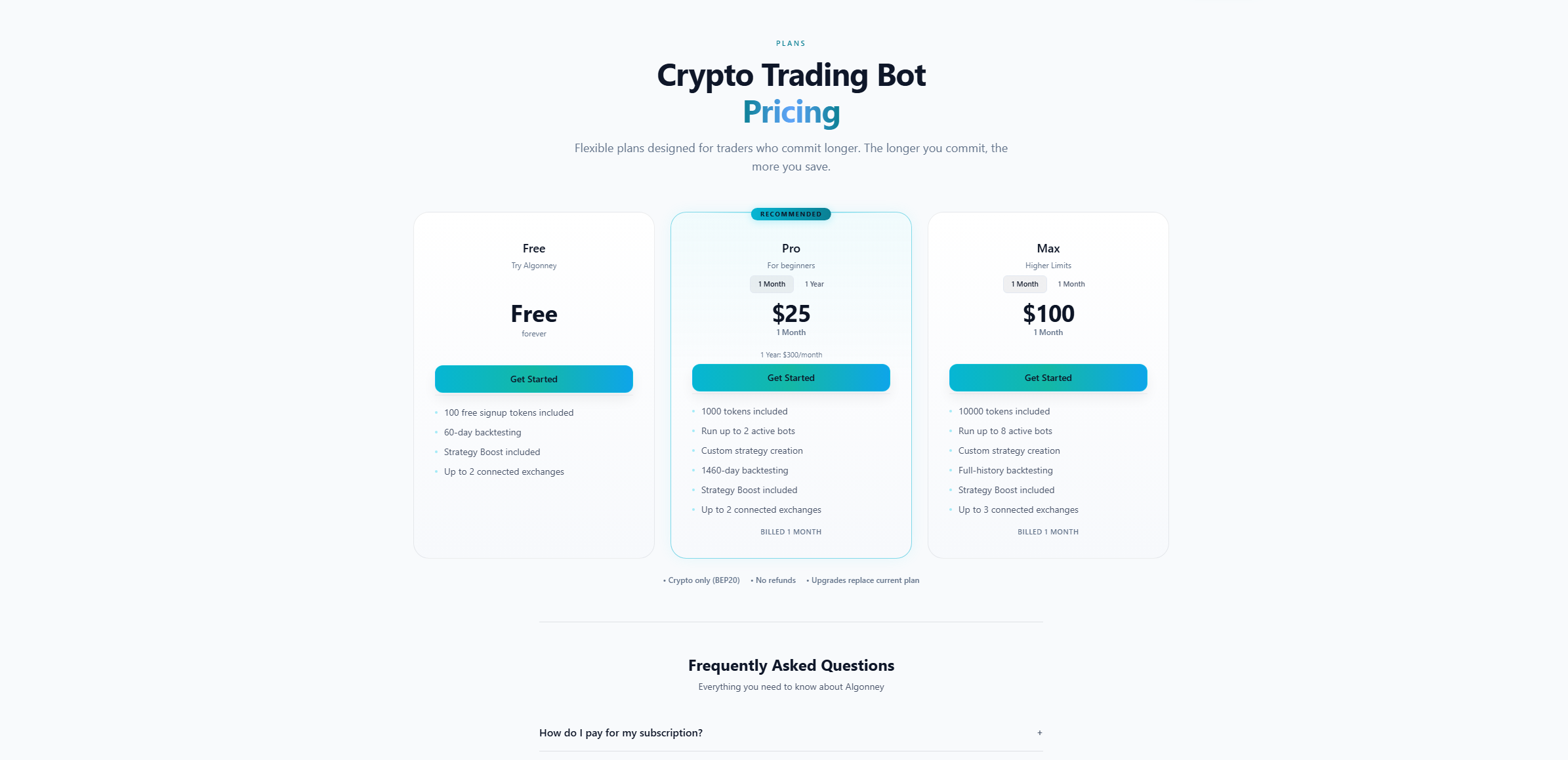
Algonney offers three plans: Free, Pro, and Max. Each plan includes a monthly token allowance, a number of active bots you can run, how far back you can backtest, and how many exchanges you can connect. Free lets you try the platform. Pro and Max unlock more tokens, more bots, longer backtesting, and live and paper trading. The longer you commit, the more you save.
Key Capabilities
- Start free to try the platform with signup tokens and 60-day backtesting.
- Upgrade to Pro or Max for more tokens, more bots, and longer backtesting.
- Run live and paper trading bots on paid plans.
- Connect up to two or three exchanges depending on your plan.
- Use Strategy Boost on every plan, including Free.
- Create custom strategies on paid plans.
- Save with longer commitments, like annual billing on Pro.
Partner Perspective
The plan ladder is simple: Free to explore, Pro for active individual traders, Max for higher limits. Strategy Boost is included on every plan, which lets even Free users experience the platform's strongest feature. This makes upgrades feel natural rather than forced.
Crucial Guidelines
- Free includes 100 signup tokens, 60-day backtesting, Strategy Boost, and up to two connected exchanges.
- Pro includes a monthly token allowance, up to two active bots, custom strategies, and longer backtesting.
- Max includes a larger token allowance, more active bots, and full-history backtesting.
- Payments are crypto only (BEP20). Upgrades replace your current plan, and there are no refunds.
- Plan tokens are subscription tokens that refresh each month and expire at month end.
- For the exact current limits and prices, check the Pricing page.
Common Plans Questions
Referrals
Active ModuleInvite friends and earn real rewards.
Module Overview
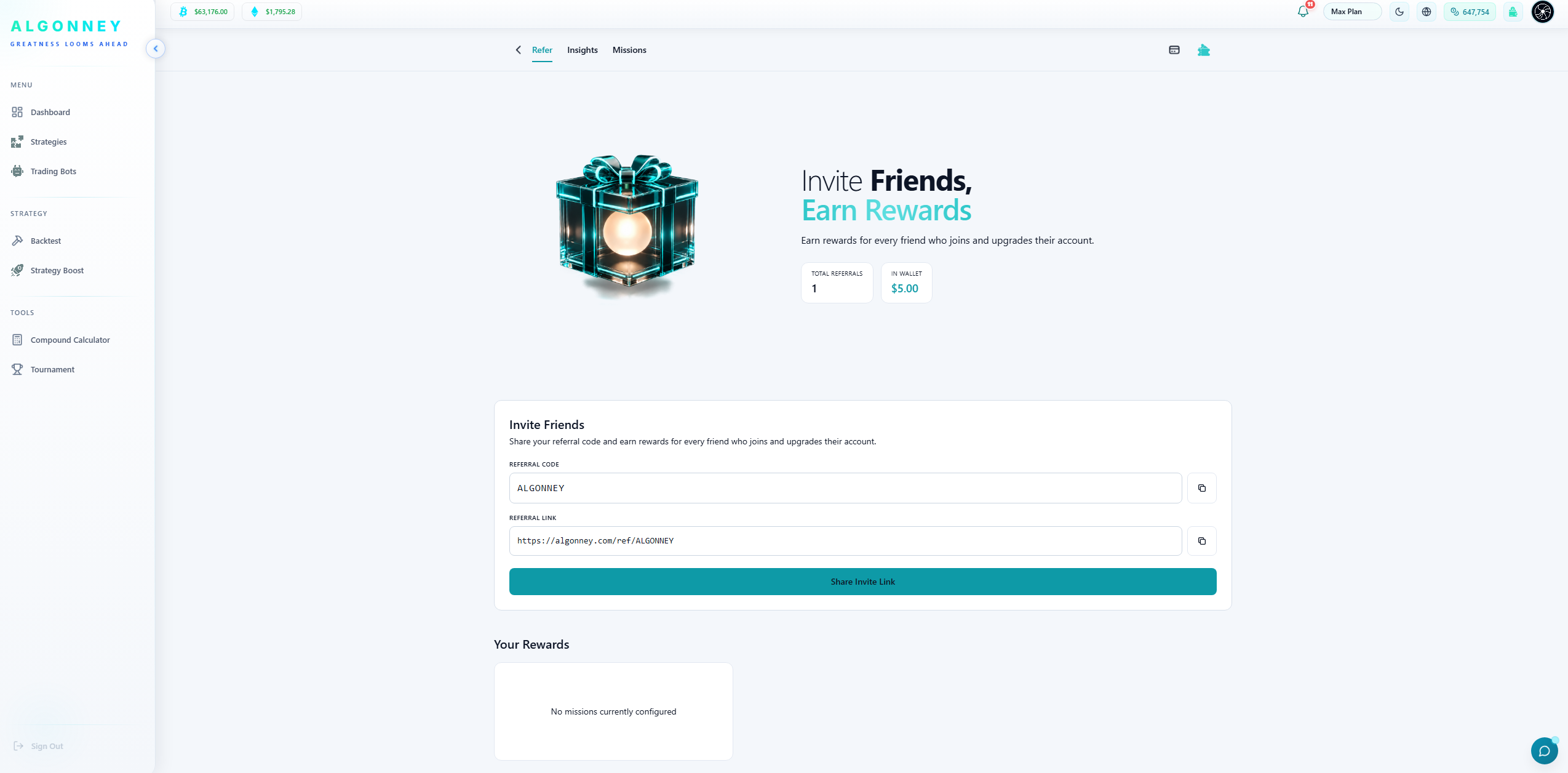
The referral program pays you for every friend you bring to Algonney. You share your personal referral code or link, and when someone joins and upgrades, you earn a percentage as a reward. Your earnings go into your wallet, and you can withdraw them easily. The referral area also shows your total referrals, your insights, and any active missions.
Key Capabilities
- Earn a reward for every friend who joins and upgrades their account.
- Share your personal referral code and referral link in one click.
- Track your total referrals and the rewards you have earned.
- Collect your earnings straight into your wallet.
- Withdraw your referral earnings easily to your own wallet.
- View referral insights and any active missions.
Partner Perspective
This is a direct earning channel. Partners and users with an audience can turn referrals into real, withdrawable income. The percentage-based reward means the more people you bring who upgrade, the more you earn.
Crucial Guidelines
- You earn a percentage reward when a referred friend joins and upgrades.
- Earnings are added to your wallet balance and can be withdrawn.
- Withdrawals go to your own wallet.
- Your referral link and code are unique to your account — share them anywhere.
- Missions, when available, offer extra ways to earn.
Common Referrals Questions
Account & Security
Active ModuleManage your profile, your keys, and your protection.
Module Overview
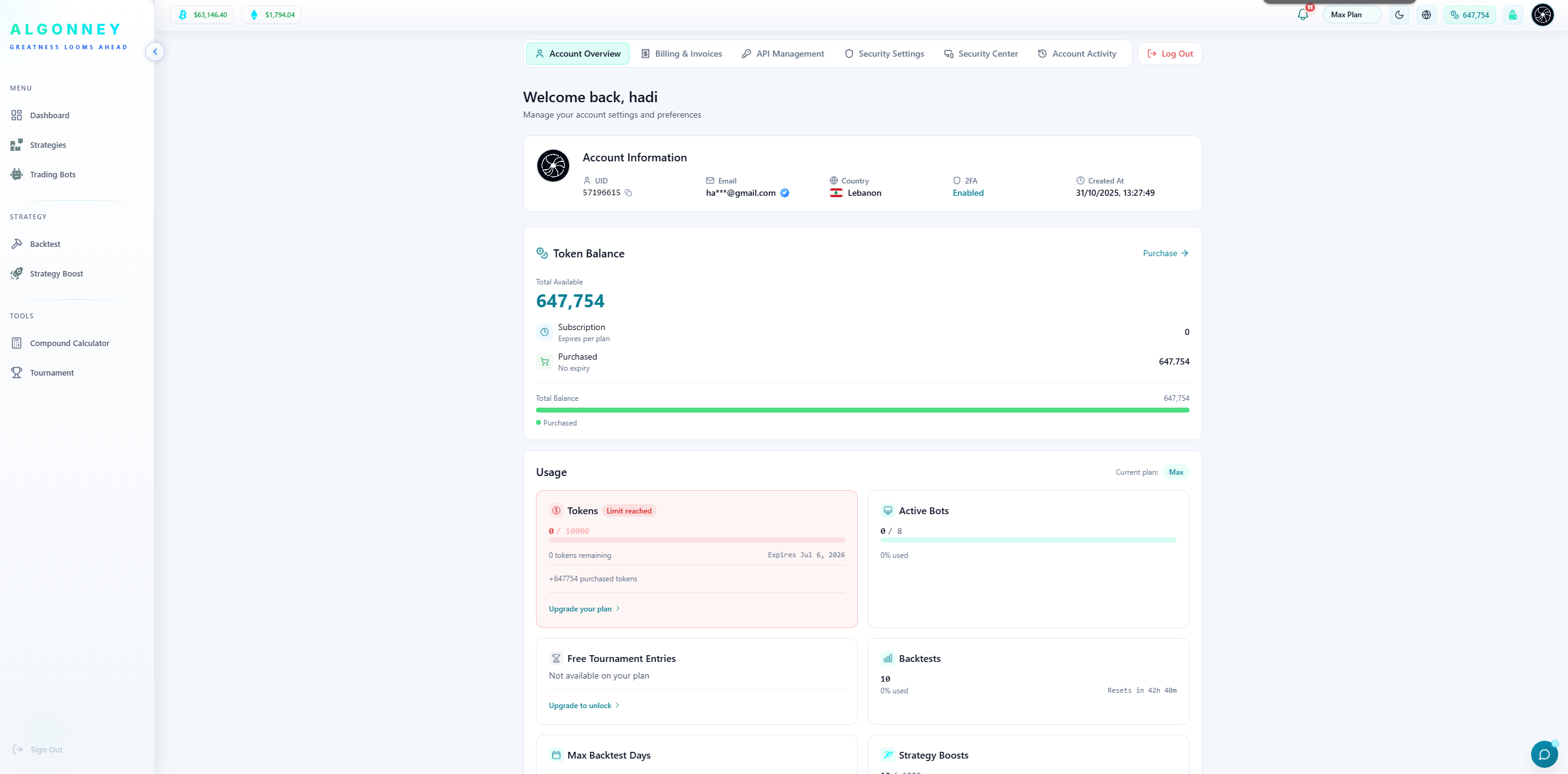
The Account area is where you manage everything about your profile and your security. You can see your account information, manage billing and invoices, connect and manage your exchange API keys, enable two-factor authentication, review your security settings, and check your account activity. Algonney is built so your funds always stay on your own exchange — the platform connects securely and never holds your money.
Key Capabilities
- View your account information, including your UID, email, country, and 2FA status.
- Manage billing and view your invoices.
- Connect and manage your exchange API keys in API Management.
- Enable two-factor authentication (2FA) for stronger protection.
- Review your security settings and Security Center.
- Check your full account activity log.
- See your token balance and plan usage from your account overview.
Partner Perspective
Security is central to trust in trading platforms. Algonney never holds user funds — money stays on the user's own exchange, and the platform connects through secure API keys. Features like 2FA, an activity log, and a dedicated Security Center show users their account is protected.
Crucial Guidelines
- Algonney never holds your funds — they always stay on your own exchange account.
- Turn on two-factor authentication to add a strong extra layer of protection.
- Connect exchanges using API keys, which you manage in API Management.
- Review your account activity regularly to keep an eye on your account.
- Keep your login details private and never share your API keys.
Common Account & Security Questions
Frequently Asked Questions
The most common questions about how Algonney works.
Start Your Automation
Journey Today
Connect your exchange, build your strategy, and experience the power of rule-based algorithmic trading in a few simple steps.
Cryptocurrency trading involves significant risk. Algonney is an automation tool and does not provide financial advice. Past performance, including backtests, does not guarantee future results. Never trade with capital you cannot afford to lose.
Start Building Your Trading Bot
Create free automated crypto trading bots, build custom strategies from a broad indicator library, and backtest before going live.